
How to use iSight for Flash contents

September 19th, 2009

Hi.

I bought MacBook.
And I use ARToolkit Marker Generator from Safari.
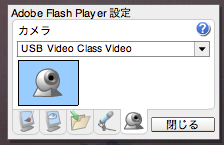
But, iSight did not work because Flash Player setting was wrong.

  1. Ctrl + click contents , and select “settings…”
    (screenshot is japanese version)
    Select "settings..."
  2. Select webcamera mark from icons tab.
  3. Select “USB Video Class Video” from dropdown list.
    select USB Video Class Video
  4. click “close” and close setting.

OK, You can use iSight in Flash contents.

Marker”s” Generator Online Released!

July 12th, 2009
Marker Generator Online Multi

Hi.
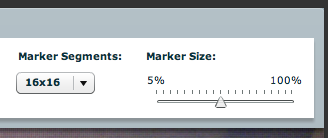
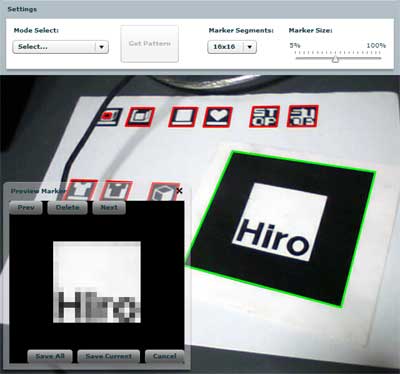
I released new ARToolKit Marker Generator.
It makes you create original markers for ARToolKit.
When this marker detects two or more marker, you can save all markers as a zip file, or save single marker as a *.pat file.

caution:You need a webcam to play this contents.
Read the rest of this entry »

about cube detection algorithm

June 10th, 2009

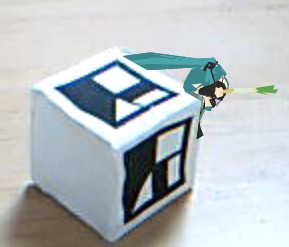
In previous entry, I made cube marker demo.
This time, I explain the detection procedure of the cube marker, step by step.
Read the rest of this entry »

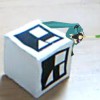
Cube type Marker in FLAR

April 6th, 2009

Hi.
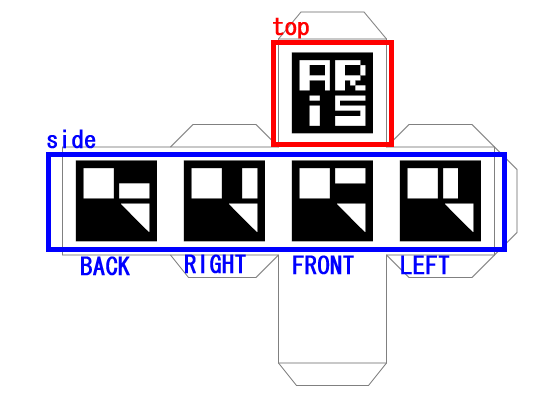
Do you know Japanese AR product “Cyber Figure ARis” ?
This uses cube type marker.

And, I mimicked it by FLARToolKit.
I created cube marker FLAR demo.

caution:You need a webcam to play this contents.

Read the rest of this entry »

FLARToolKit demo Rasengan from NARUTO

March 16th, 2009

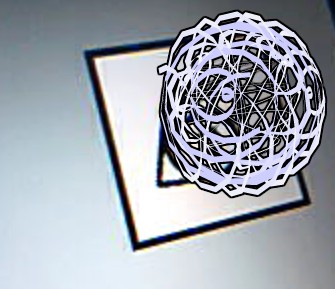
This is my new FLARToolKit demo, Rasengan from NARUTO.
This demo uses Ribbon3D very exciting class.
caution:You need a webcam to play this contents.

Read the rest of this entry »

FLARCodeImage:Utility for FLARToolKit

February 3rd, 2009

example that using FLARCodeImage

I made a utility class for FLARToolKit.
FLARCodeImage is a child of Sprite.
This class makes FLARCode an image. And, you can use it as a substitute of the marker.

How to use

  1. Create a instannce of FLARCode and load .pat file.
    1
    2
    3
    4
    5
    6
    
    [Embed(source = "assets/patt.hiro", mimeType = "application/octet-stream")]private var CodeData:Class;
    //...
     
    var code:FLARCode = new FLARCode(16, 16);
    var codeFile:ByteArray = new CodeData() as ByteArray;
    code.loadARPatt(codeFile.readMultiByte(codeFile.length, "shift-jis"));
  2. Create a instance of FLARCodeImage.
    1
    
    var codeImg:FLARCodeImage = new FLARCodeImage(code, 300, 300);
  3. Create a instance of MovieMaterial(Papervision3D’s material classs), and create a instance of Plane using it as material.
    1
    2
    3
    4
    
    var mat:TriangleMaterial = new MovieMaterial(codeImg);
    mat.doubleSided = true;
    var plane:Plane = new Plane(mat, 300, 300, 4, 4);
    this._modelView = new PV3DPanel(this.stage.stageWidth, this.stage.stageHeight, plane);
  4. Use its image as a input for FLARToolKit instead of WebCamera.

FLARToolKit and Papervision3D:coordinate axis

December 24th, 2008

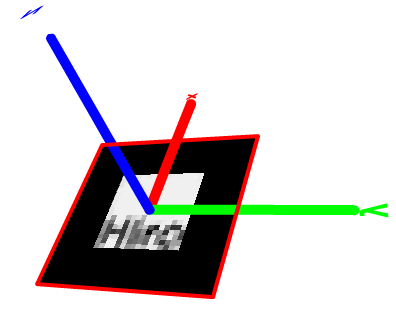
I made FLARToolKit demo that researchs coordiante axis of FLARToolKit and Papervision3D.

Read the rest of this entry »

FLARToolKit demo “Saito-San” released!

December 16th, 2008

I made a FLARToolKit demo.
In this demo, I use Japanese very cute character “Saito-san” as Marker and appearing Image.

caution:You need a webcam to play this contents.

Read the rest of this entry »

FLARToolKit Panorama Photo Viewer

December 15th, 2008

FLARToolKit Panorama Photo Viewer is demo for FLARToolKit.
please put up the marker to the forehead when you execute this demo.

via:Waffing on Flickr – Photo Sharing!

caution:You need a webcam to play this contents.

Read the rest of this entry »

Fireball Clock

December 14th, 2008

Fireball Clock is a demo using TeraClock and TeraFire.
Read the rest of this entry »